
Point your Domain at any IP Address
The COOLCOM Domain Buddy offers extended fetures; a popular ones being the abiity to point your Domain Name at any IP address. This can be handy under a number of circumstances, from using 3rd party hosting to splitting off your hosting records from your email records. Advanced configuration of your domains gives you the abilty to remain in full control of your most important asset rather than leaving it to your hosting company.

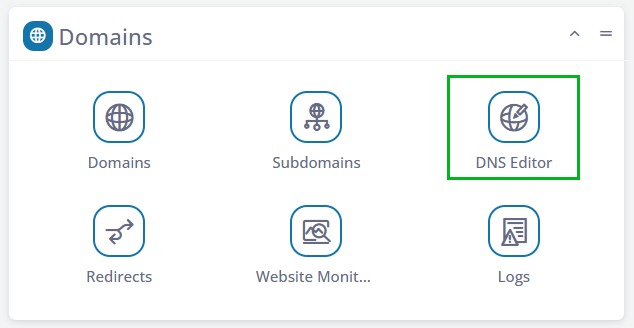
1. Log into your sPanel
You can do this right from your COOLCOM Client Center by clicking the Hosted Domains link and then clicking the login jump button for the hosted domain you want to adjust.
Once logged in, select the Domains section as shown to the left. Click the DNS Editor to get started.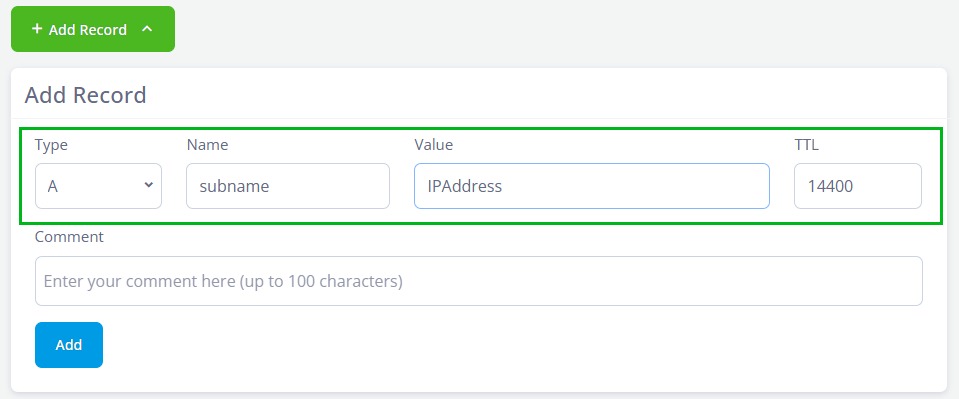
2. Click to Add a Record
Click the +A Record Button to the right of a domain. You can then add the subname IE staging or store and then add the IP address to where you want the url to land.
This could be a hosting space, a third party service etc but it must be a working IP address to take effect.
