
Point your Domain at a Live Website.
The COOLCOM Domain Buddy, offers extended features, and one of the those is the ability to point your Domain Name at a Live Functioning Website. This can be handy under a number of circumstances, from using several domains as lead in URLs or advanced configuration of your domains gives you the ability to remain in full control of your most important asset rather than leaving it to your hosting company.

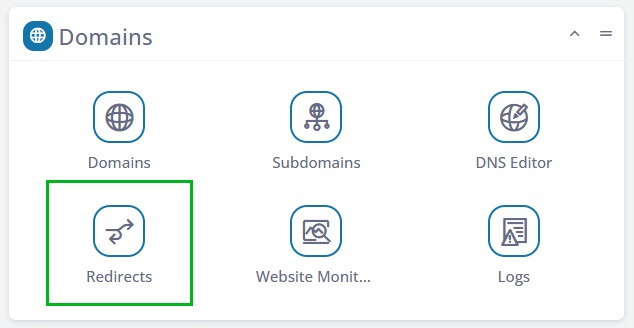
1. Log into your sPanel and scroll to the Domains section. Then click the Redirects icon.
You can find easy access to your sPanel by accessing the Hosted Domain List in the Client Center and clicking the hosted domain you want to adjust. A jump through button will appear that lets you log into your sPanel directly.
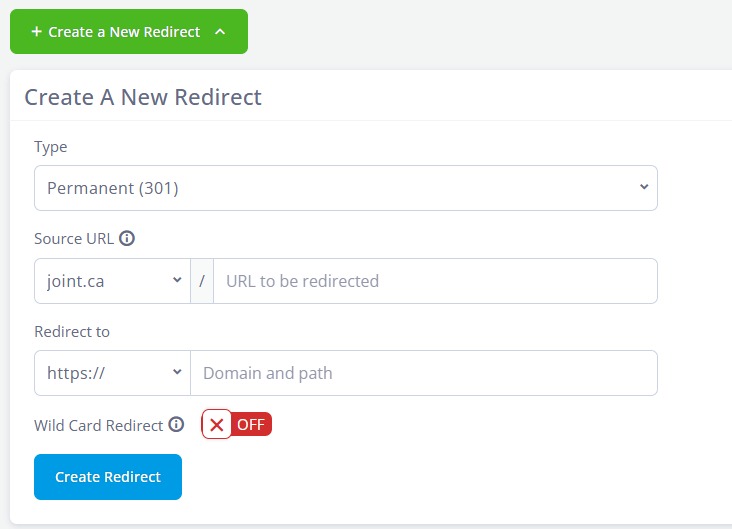
2. Click to Create a New Redirect
Once you have this panel showing, you can select the URL you want to point (Source URL) and below that input the URL to which you want it pointing.
